CCNA · Sample questions
Works on phone, tablet & desktop
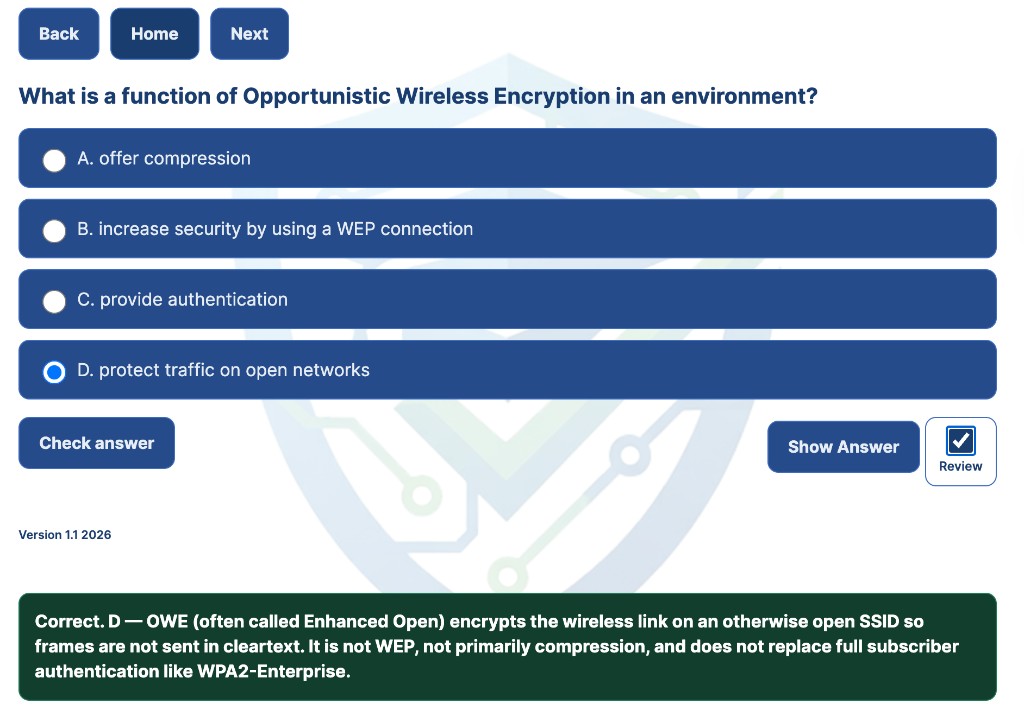
You answer 18 multiple-choice items—three random questions per CCNA domain—then review a scorecard when you finish. Select an answer for instant feedback, then Next.

Get CCNA access
Full practice library and practice portal for thirty days.
30-day access
Live$19.99 / 30 days
Full library access for a month: question banks, CLI labs, drag-and-drop sets, practice portal modes, and timed simulation practice.
Tests: Version 1.1 2026. Study sessions: pre v1.0, with new questions added continuously.
$19.99 / 30 days. No subscription. Access is tied to this browser. Use the same device when you study.
Get CCNA access
Full CCNA 200-301 library and practice portal for ten days—one-time purchase, no subscription.
10-day access
One-time$9.99 / 10 days
Question banks, CLI labs, drag-and-drop sets, practice portal modes, and the 120-minute timed simulation—all in your browser.
Tests: Version 1.1 2026. Study sessions: pre v1.0, with new questions added continuously.
$9.99 / 10 days. No subscription. Access is tied to this browser. Use the same device when you study.
Need more time? 30-day access ($19.99) uses the same library with a longer study window.
Cisco CCNA 200-301 · exam prep · practice tests
You prepare for CCNA 200-301 in your browser. You get realistic practice tests, verified explanations, drag-and-drop items, CLI labs, and timed simulation practice with portal access. Practice on your phone, tablet, or desktop. No PDFs and no third-party software. Many federal, DoD, and defense-contractor roles use CCNA toward associate-level networking qualification. Confirm requirements with your manager. Try the free samples below to judge quality first.
Same UI on phone, tablet, and desktop. You tap answers, drag-and-drop items, and run CLI labs in your browser.
You get three free previews from the CCNA question bank, drag-and-drop set, and VLAN lab. Same verified explanations and browser UI as full access. Open a sample on your phone to confirm layout before you commit. Each activity has Home back here and Next (or Finish sample). No checkout required.
Works on phone, tablet & desktop
You answer 18 multiple-choice items—three random questions per CCNA domain—then review a scorecard when you finish. Select an answer for instant feedback, then Next.
Touch-friendly on phone & tablet
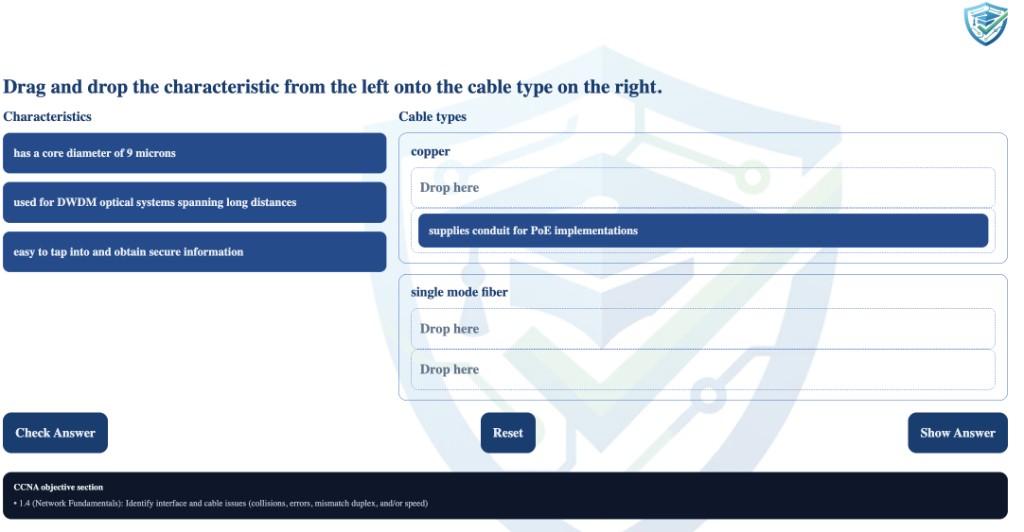
You try four performance-style drag-and-drop items, shuffled each run. Drag snippets into the blanks or tap to place on a phone.
CLI lab runs in your browser

You run a dual-switch VLAN CLI simulation: create VLANs, assign ports, and save in the browser.
Why interactive prep
Many CCNA sites sell printable PDFs or require GNS3, Packet Tracer, or desktop test engines for labs. Be Certified Today is built for interactive practice in the same browser format you use on test day.
| Capability | Typical PDF / Desktop Site | Be Certified Today |
|---|---|---|
| Primary format | PDF download or desktop test engine | Interactive HTML in your browser |
| Mobile study | Often PDF zoom or desktop-only player | Responsive UI on phone, tablet, and desktop |
| CLI labs | Usually requires GNS3, Packet Tracer, or VM install | Browser CLI simulations + free VLAN lab sample |
| Drag-and-drop | Rare or static screenshots in PDFs | Multiple D&D sets + free shuffled sample |
| Timed 120-min exam | Rare, or separate desktop engine only | Full timed simulation in the practice portal |
| Weak-area review | Static Q&A list | Review modes loop missed topics back |
| Content updates | “90 days free updates” on a PDF file | Living site with continuous question additions |
| Exam policy | Often markets braindump memorization | Exam prep only. Verified practice, not actual exam questions |
Cisco does not endorse third-party braindumps. Practice on this site is for preparation only; see the disclaimer below.
Study plan
Domain weights and a suggested study order. Unlock the full library from the purchase cards above.
The live CCNA 200-301 exam (v1.1) certifies associate-level networking skills across routing, switching, IP services, security, and automation. Cisco publishes six domains; official guidance puts the heaviest weight on IP connectivity (25%), with network fundamentals and network access (20% each) close behind.
Domain weights below come from Cisco exam guidance. Use them to budget study hours, not as a guarantee of how many questions you will see on a specific attempt. The exam allows up to 120 minutes with multiple-choice, drag-and-drop, and simulation-style items.
| Domain | Weight | What to study |
|---|---|---|
| Network fundamentals | 20% | OSI and TCP/IP models, IPv4/IPv6, cabling, devices, topologies, subnetting basics |
| Network access | 20% | VLANs, trunking, basic STP, EtherChannel, wireless concepts, switch port configuration |
| IP connectivity | 25% | Routing tables, static routing, OSPF fundamentals, path selection, troubleshooting routing |
| IP services | 10% | NAT, DHCP, DNS, NTP, SNMP, syslog, QoS basics |
| Security fundamentals | 15% | Device hardening, ACLs, authentication, AAA basics, secure management access |
| Automation and programmability | 10% | APIs, controllers, automation concepts, JSON, Python basics, intent-based networking |
What to focus on first: network fundamentals and IP connectivity underpin subnetting, routing, and a large share of drag-and-drop or simulation-style prompts. Add network access and security fundamentals next. They show up on both theory and configuration-style questions.
Suggested study order
Under time pressure, leaning hardest into IP connectivity and network fundamentals before you polish lighter domains mirrors where Cisco weights the blueprint. The timed simulation on this site rehearses that mixed multiple-choice, drag-and-drop, and CLI lab pressure across all six domains in one exam-style session.
Source: Cisco CCNA 200-301 exam blueprint, v1.1.
The adaptive testing really helped narrow in on the areas I was weak on. I stopped wasting time on topics I already knew and focused where it mattered.
This was perfect to prepare me for my first attempt. The mix of questions, drag-and-drop, and labs felt close to exam day. I will let you know the outcome.
Solid practice overall. I wish it could include a bit more study information alongside the questions, for example short explanations or topic summaries after you miss one.
The recent questions are right on track with what I am seeing in my prep: routing, switching, and troubleshooting prompts that match the current 200-301 focus.
FAQ
Exam prep in your browser. Not PDF dumps or desktop lab installs. See the comparison table or read answers below.
Yes. No checkout required. Open the free sample questions, drag-and-drop set, and VLAN lab on your phone or laptop first. Each preview includes verified explanations and the same browser UI as full access.
No. Many sites sell printable PDFs or “question and answer” files you memorize. Be Certified Today is 100% interactive in your browser: CCNA 200-301 items with verified explanations, aligned to objectives v1.1. Not static braindump files.
No. Be Certified Today does not sell a recurring membership. You choose access for a defined period (for example, 30 days of full library access on this site) and only pay again if you want another period. Sample questions and labs on this homepage stay available without purchase.
No. You do not download anything to practice the labs. Everything runs in the browser testing engine.
Access links are validated for the device and browser where you open them. If you switch phones, use another laptop, change browsers, or open a private/incognito window, treat it like a new environment: go to the CCNA practice portal and request a new access email using the same address you used at checkout, and complete the steps on that device and browser.
Yes. Practice runs in the browser on desktops, phones, and tablets. Use an up-to-date Safari, Chrome, or Firefox. Drag-and-drop and lab layouts are built to work with touch and pointer input.
If a page misbehaves on mobile, request a fresh access link from that same phone or tablet so your session matches where you actually train.
No. Be Certified Today does not collect customer details for resale or marketing, and nobody from the site will contact you to ask for payment card numbers or personal information. Complete purchases only through the official checkout flow; use official magic-link or portal pages for access.