CCNA · Sample questions
Works on phone, tablet & desktop
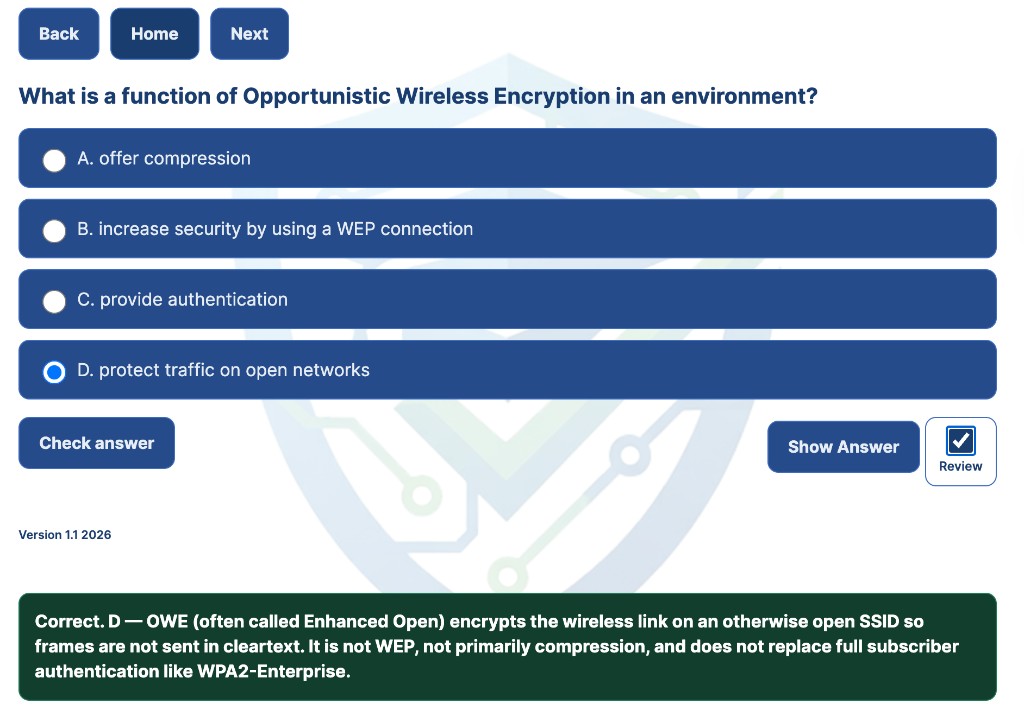
You answer 18 multiple-choice items, three random questions per CCNA domain, then review a scorecard when you finish. Select an answer for instant feedback, then Next.

Be Certified Today · CCNA 200-301 exam prep in your browser
Practice Like Test Day. Walk In Ready.
Fully online CCNA 200-301 bank: CLI labs, drag-and-drop, questions, and a 120-minute timed sim. Tagged to official exam objectives. No GNS3. Works on your phone.
Free samples
Each item is tagged to a CCNA 200-301 objective. This is a fully online bank: questions, drag-and-drop, and CLI labs in the browser. No software to install.
Works on phone, tablet & desktop
You answer 18 multiple-choice items, three random questions per CCNA domain, then review a scorecard when you finish. Select an answer for instant feedback, then Next.
Touch-friendly on phone & tablet
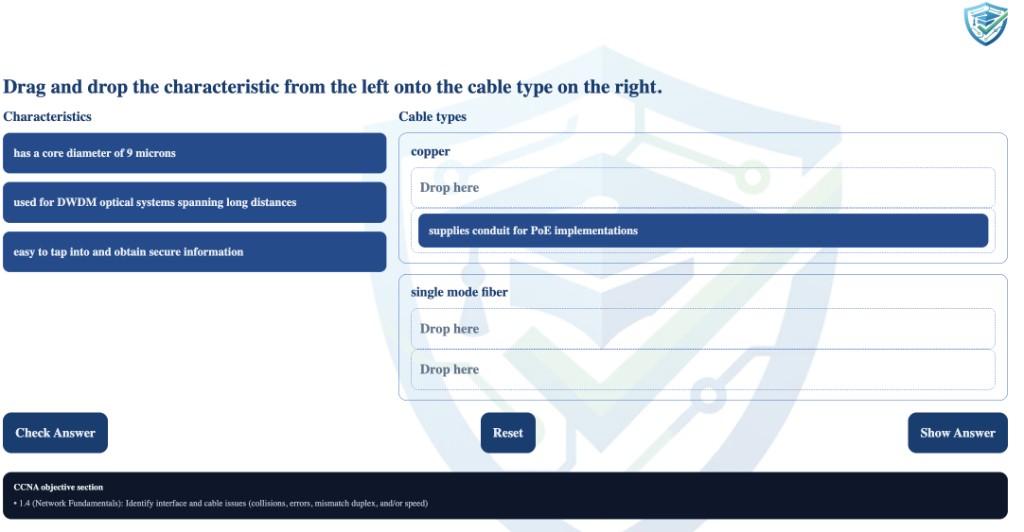
You try four performance-style drag-and-drop items, shuffled each run. Drag snippets into the blanks or tap to place on a phone.
CLI lab runs in your browser

You run a dual-switch VLAN CLI simulation: create VLANs, assign ports, and save in the browser. Works on a phone. No GNS3, Packet Tracer, or other software.
One-time payment. Full library access for 30 days. No auto-renew.
30-Day Access
$19.99
Less than $1.00/day
one-time · 30 days of full library access
One-time payment - no auto-renew. Access is tied to this browser. Eligible student, educator, military, government, first responder, contractor, workforce, or veteran-program learner? Request a verified learner discount before checkout.
Objective-focused CLI simulations in your browser - no images, VMs, or IT install approvals. Same testing engine as the free VLAN lab sample above.
| Need | GNS3 / Packet Tracer | Be Certified Today |
|---|---|---|
| Setup | Install app, images, or PT files | Open a URL - lab runs in browser |
| Work laptop | Often blocked by IT policy | No admin rights required |
| Exam alignment | Topology building practice | Objective-focused CLI sims + timed mixed exam |
| Mobile study | Usually desktop-only | Touch-friendly on phone and tablet |
Many CCNA sites sell a printable PDF pack, or require GNS3, Packet Tracer, or desktop test engines for labs. This is a full interactive bank in the browser, mobile-friendly, with simple CLI labs and no software to install.
| Capability | Typical PDF / Desktop Site | Be Certified Today |
|---|---|---|
| Primary format | PDF download or desktop test engine | Interactive HTML in your browser |
| Mobile study | Often PDF zoom or desktop-only player | Responsive UI on phone, tablet, and desktop |
| CLI labs | Usually requires GNS3, Packet Tracer, or VM install | Browser CLI simulations + VLAN lab preview |
| Drag-and-drop | Rare or static screenshots in PDFs | Multiple D&D sets + shuffled preview |
| Timed 120-min exam | Rare, or separate desktop engine only | Full timed simulation in the practice portal |
| Weak-area review | Static Q&A list | Review modes loop missed topics back |
| Content updates | “90 days free updates” on a PDF file | Living site with continuous question additions |
| Outdated exam content | PDFs go stale when the blueprint changes; an updated file usually means buying again | This Test Preparation Site tags items to CCNA blueprint versions (V_2025/V_2026); outdated objectives retired as exams change |
| Price for a full bank | Static PDF packs commonly $60-$80 | $19.99 / 30 days - about a third to a quarter of those PDFs |
| Exam policy | Often a static PDF to memorize | Original practice tagged to CCNA objectives |
This CCNA bank is fully online: questions, timed simulations, drag-and-drop, and simple CLI labs on your phone with no software to install. Items are tagged to official exam objectives. Preview NGTE samples first, no account required. When you are ready, unlock the full library for one payment. No recurring membership and no ads inside the portal.
Cisco does not endorse third-party training products. Practice on this site is original study material for preparation only; see the disclaimer below.
FAQ
Exam prep in your browser. Not static PDFs or desktop lab installs. Questions are tagged to the CCNA 200-301 blueprint. See the comparison table or read answers below.
Yes. No checkout required. Open the free sample questions, drag-and-drop set, and VLAN lab on your phone or laptop first. Each preview includes explanations and the same browser UI as full access.
I know what exam day feels like: the pressure and the worry that your prep is already out of date. Be Certified Today gives you current CCNA 200-301 practice, explanations, and no recurring membership.
Try free samples first → or unlock access when you are ready.
No. This is a fully online, immersive bank: CCNA 200-301 items with explanations, aligned to V_2025 and V_2026, plus simple CLI labs that run on a phone with no software to install.
No. Be Certified Today does not sell a recurring membership. You choose access for a defined period (for example, 30 days of full library access on this site) and only pay again if you want another period. Sample questions and labs on this homepage stay available without purchase.
Questions are grouped by blueprint version. V_2025 and V_2026 items are available.
As a member, you can filter practice to the newest blueprint versions if you prefer to focus there. Cisco’s live exam pulls from a large item pool, and when a major revision to tested subjects is released, a new version is added to that pool.
Practicing both newer and earlier questions gives you broader topic coverage before you schedule the exam.
Each item is tagged to a CCNA 200-301 blueprint objective (V_2025 and V_2026 where applicable).
When Cisco updates tested subjects, I compare official blueprint changes and keep practice aligned to what is live today. You can filter to the newest blueprint versions in the portal when you want to focus on the current test only.
No. You do not download anything to practice the labs. Simple CLI labs run in the browser testing engine on phone, tablet, or desktop. No GNS3, Packet Tracer, IOU, or other software.
Access links are validated for the device and browser where you open them. If you switch phones, use another laptop, change browsers, or open a private/incognito window, treat it like a new environment: go to the CCNA practice portal and request a new access email using the same address you used at checkout, and complete the steps on that device and browser.
Yes. Practice runs in the browser on desktops, phones, and tablets. Simple CLI labs and drag-and-drop work with touch. No GNS3 or other software. Use an up-to-date Safari, Chrome, or Firefox.
If a page misbehaves on mobile, request a fresh access link from that same phone or tablet so your session matches where you actually train.
Visitors and members can reach us the same way: click Ask a question at the bottom of this page (or use that link here).
Enter your email and message in the form. We send a verification link to that address - your question is only submitted after you click it. That confirms a real inbox and cuts down on spam. We reply by email about CCNA 200-301 prep, samples, or portal access.
No. Be Certified Today does not collect customer details for resale or marketing, and nobody from the site will contact you to ask for payment card numbers or personal information. Complete purchases only through the official checkout flow; use official magic-link or portal pages for access.